
Climb Hill1.7 - Get APK
You'll be able to download in few seconds.
Publisher Description
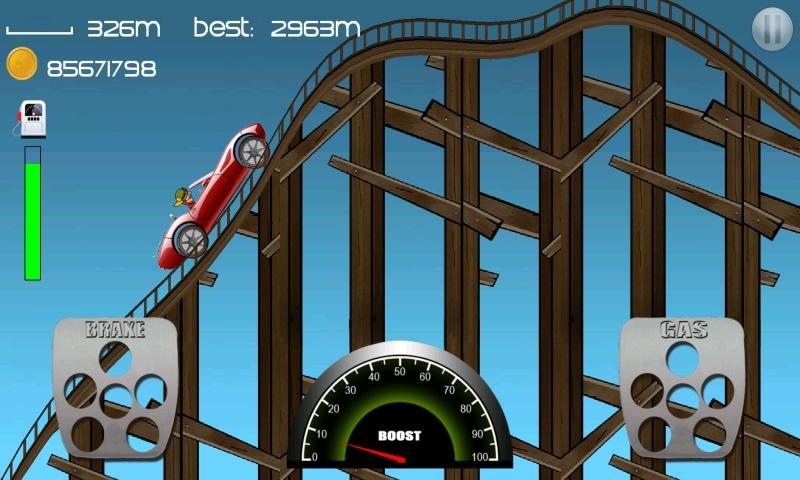
One of the most addictive and entertaining endless physics based driving game ever made!
Here you are, as the young aspiring hill climb racer, you are about to embark on a journey that takes you to where no ride has ever been before.
With little respect to the physics simulation laws, you will continuously conquered the highest hills on this endless, no rest, and eventually lost game!
Face the challenges of unique hill climbing environments with many different cars.
Gain bonuses from daring tricks and collect coins to upgrade your car and reach even higher distances.
Nine different vehicles:
OLD CAR, MOTOCROSS BIKE, ALL TERRAIN VEHICEL, JEEP, RACE CAR, MONSTER CAR, BUGGY, FIRE ENGINE, RALLY CAR
Ten beautiful stage:
COUNTRYSIDE, KILIMANJARO, CAVE, MOON, HILLS, KARST CAVE, SAHARA DESERT, ROLLER COASTER, DRY LAND, HILLY AREA
Features:
- Lots of different vehicles with unique upgrades (many different vehicles: bike, truck, jeep, tank, etc.)
- Upgradeable parts include engine power, tires friction, and tank size
- 10 stages with levels to reach in each (Countryside, Desert, Arctic and the Moon, etc.)
- Cool graphics and smooth physics simulation
We'd appreciate if you report any issues with this game to us, please include your device make and model.
About Climb Hill
The company that develops Climb Hill is alanip. The latest version released by its developer is 1.7.
To install Climb Hill on your Android device, just click the green Continue To App button above to start the installation process. The app is listed on our website since 2015-12-02 and was downloaded 0 times. We have already checked if the download link is safe, however for your own protection we recommend that you scan the downloaded app with your antivirus. Your antivirus may detect the Climb Hill as malware as malware if the download link to com.lovebeyondforever.climbhill is broken.
How to install Climb Hill on your Android device:
- Click on the Continue To App button on our website. This will redirect you to Google Play.
- Once the Climb Hill is shown in the Google Play listing of your Android device, you can start its download and installation. Tap on the Install button located below the search bar and to the right of the app icon.
- A pop-up window with the permissions required by Climb Hill will be shown. Click on Accept to continue the process.
- Climb Hill will be downloaded onto your device, displaying a progress. Once the download completes, the installation will start and you'll get a notification after the installation is finished.
Program Details
System requirements
Download information
Pricing
Version History
version 1.7
posted on 2015-12-02
Disclaimer
External Download
We do not host Climb Hill on our servers. We did not scan it for viruses, adware, spyware or other type of malware. This app is hosted by Galad and passed their terms and conditions to be listed there. We recommend caution when installing it.
The APK Download link for Climb Hill is provided to you by apps112.com without any warranties, representations or guarantees of any kind, so access it at your own risk.
If you have questions regarding this particular app contact the publisher directly. For questions about the functionalities of apps112.com contact us.
